


Running an online community can become a full-time job.
A creator may need to welcome new members, publish useful content, organize courses, answer questions, moderate discussions, plan events, manage payments, and study engagement data. A small team can handle these tasks, but they are difficult for a solo creator trying to grow a membership business.
Circle AI is designed to reduce some of this workload.
It is an AI assistant built directly into Circle, a platform that combines community discussions, courses, events, paid memberships, live sessions, member profiles, analytics, and a website builder.
The main idea is simple: instead of using one tool to plan your business, another to write content, and another to manage your community, you can ask Circle AI to help from inside the platform where the work will actually happen.
What is Circle?
Circle is a platform for creators, coaches, consultants, educators, and membership businesses that want to build a private online space for their audience.
For example, a business coach could create a paid community where clients watch lessons, join weekly calls, ask questions, download resources, and communicate with other members. A course creator could combine self-paced lessons with live workshops and community discussions. A consultant could offer a premium membership with monthly training and direct support.
Without Circle AI, the creator still needs to decide how the community should be structured, prepare the course, write the welcome content, configure access, and keep members engaged.
Circle AI helps create the first version of that system and assists with the daily work that follows.
What is Circle AI?
Circle AI is an AI partner designed specifically for running a community-based digital business.
It starts with a conversation. You describe what you are trying to build, who the audience is, what members should receive, and how the offer should work. Circle AI can then help turn that description into a practical community structure.
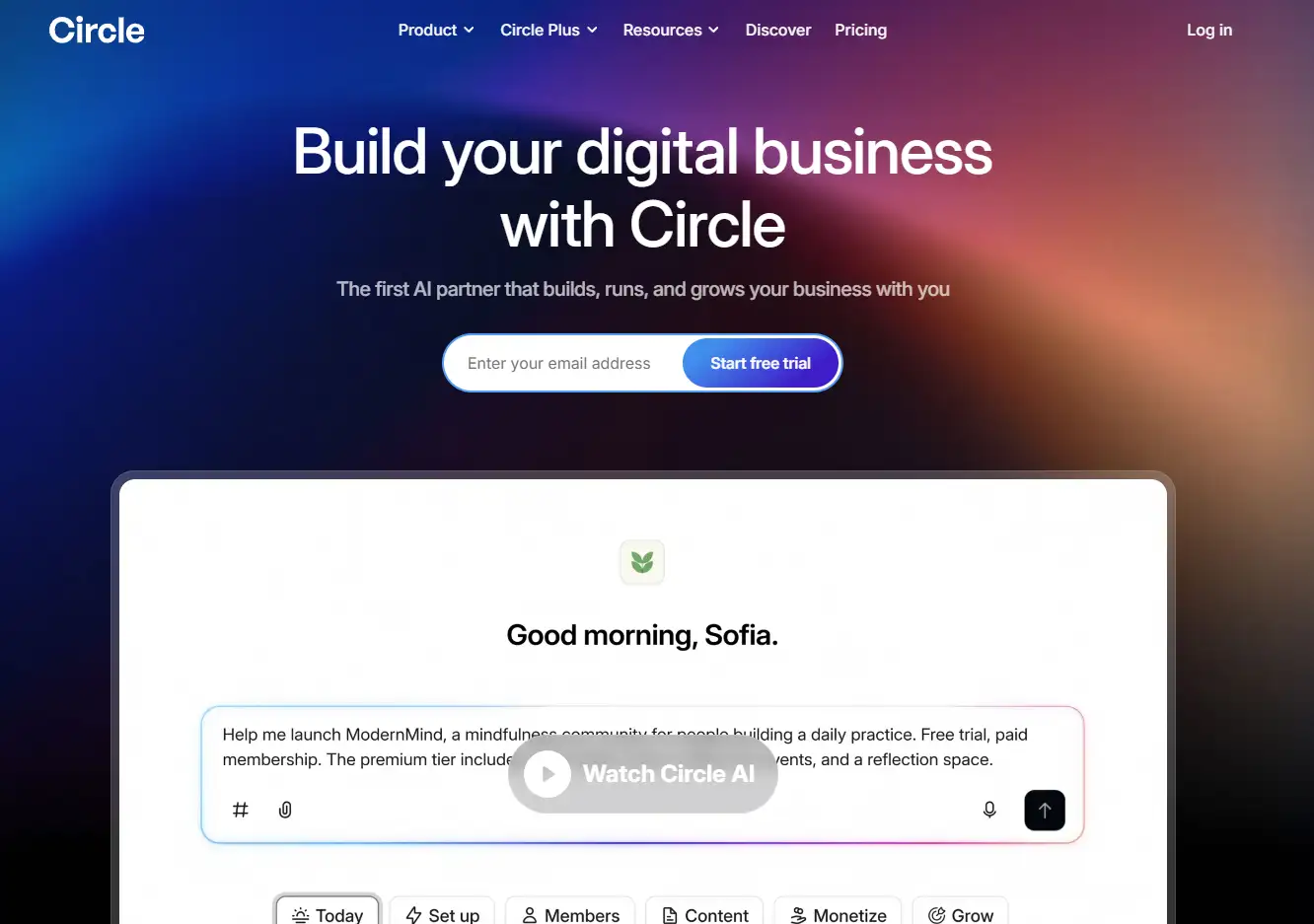
Circle says the product includes more than 50 specialized skills. These skills cover community setup, member management, content, courses, monetization, moderation, analytics, workflows, and growth planning.
This makes Circle AI different from a basic AI text generator. It can help with writing, but it is also designed to perform actions related to the actual Circle platform.
How Circle AI works in practice
Imagine that you want to launch a paid community for freelance designers.
The membership will include a beginner course, monthly portfolio reviews, weekly discussions, workshop recordings, and a private area where members can share job opportunities.
Normally, you would need to decide how to organize every part of this offer. You would create separate spaces, choose which content is free or paid, write descriptions, prepare a welcome post, develop community guidelines, and outline the course.
With Circle AI, you can start with a request such as:
Help me build a paid community for freelance designers. Members should receive a beginner course, monthly portfolio reviews, weekly discussions, workshop recordings, and access to a job board.
Circle AI can use this description to suggest a structure for the community. It may propose an introduction space, a course area, a portfolio feedback section, an events calendar, a recordings library, and a job board.
It can also help draft the welcome message, community rules, onboarding steps, and initial posts.
The creator remains in control. Circle describes the building process as a preview-based experience in which the user can review the proposed structure before approving it.
This is important because AI should not make major business decisions without human review. Its value is creating a useful first version faster.
What Circle AI can actually do
The most useful part of Circle AI is the range of specialized tasks it can handle.
Its Space Scaffolder can create an initial community structure from a description. The Community Restructurer can review and reorganize an existing setup. This can help when a community has grown over time and now contains too many confusing spaces.
The Course Builder can organize lessons, drip schedules, and completion tracking. The Post Creator can prepare, schedule, and pin community posts. The Content Calendar can suggest a publishing schedule and help prepare content in batches.
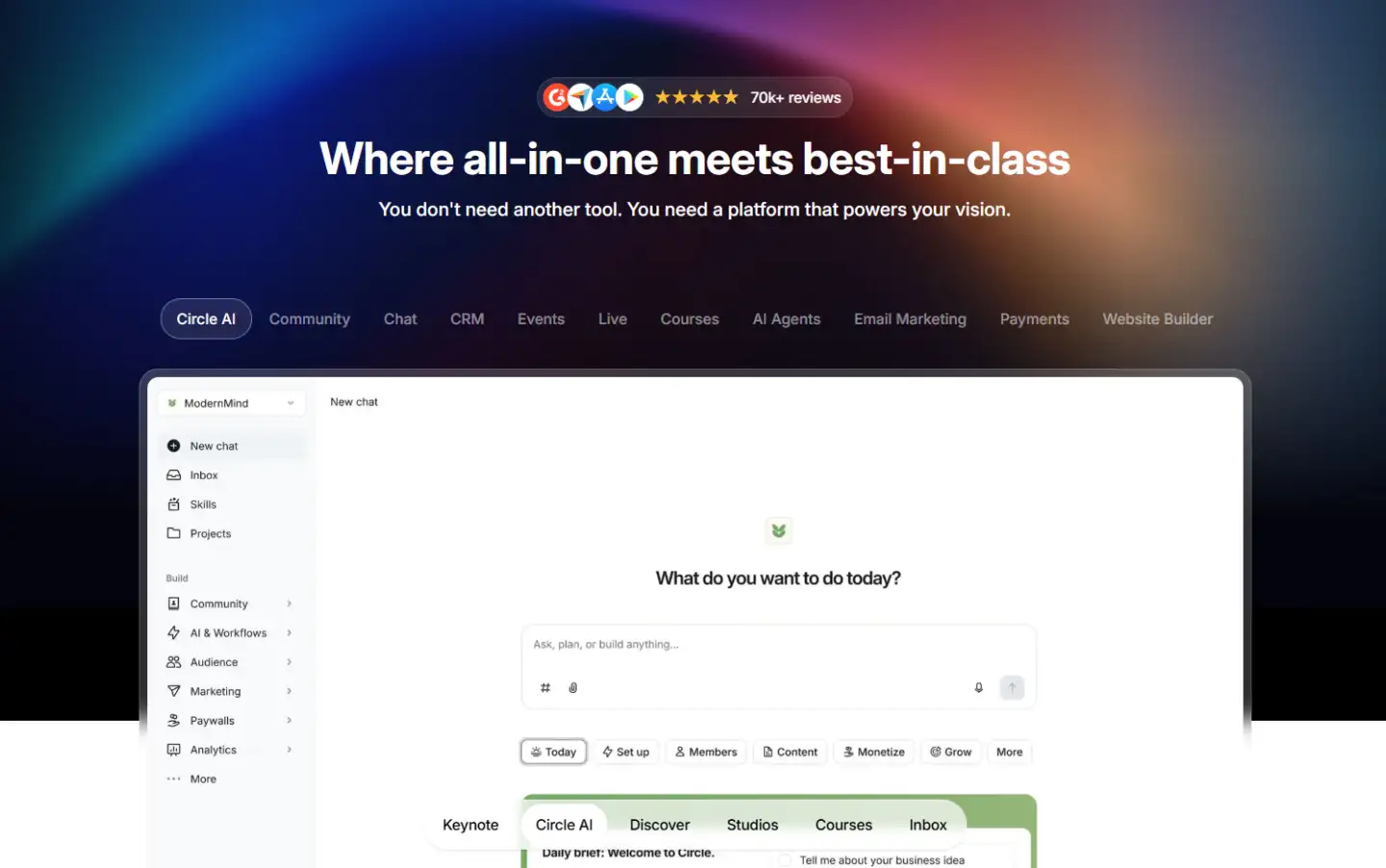
For monetization, the Paywall Configurator can help with pricing tiers and checkout setup. The Coupon Manager can create promotional codes. The Business Model Advisor can help compare options such as a free community, paid membership, or course-based offer.
Circle also describes tools for moderation, workflows, launch planning, community data, member invitations, and role management.
Creating a course with Circle AI
Course creation is one of the clearest use cases.
Suppose an independent consultant wants to create a course called “Find Your First Three Consulting Clients.”
The consultant could ask Circle AI to develop a four-week curriculum. The first week might cover positioning and choosing a target client. The second could focus on creating a clear offer. The third could explain outreach and sales conversations. The final week could cover follow-up and client onboarding.
Circle AI can help organize these ideas into modules and lessons. It can also prepare lesson summaries, exercises, discussion prompts, and suggested drip schedules.
This gives the creator a structured starting point, but the AI-generated material should not be published without editing. A useful course needs real experience, specific examples, original frameworks, and accurate advice.
Circle AI can organize the creator’s knowledge. It cannot replace that knowledge.
Planning content and member engagement
A community needs regular activity to remain useful.
Members may join with strong interest but stop visiting when there are no new discussions, reminders, events, or reasons to participate.
Circle AI can help create a repeatable content plan.
For example, the owner of a fitness membership could ask for a four-week engagement calendar. Circle AI might suggest a Monday planning discussion, a Wednesday accountability post, a short educational lesson, an event reminder, and a Friday progress review.
The owner can then adjust the posts to match their coaching style and schedule them in advance.
The same approach could work for a language community, creator membership, professional network, or business coaching program. The content should always be reviewed, but AI can reduce the time spent developing the initial plan.
Using Circle AI for monetization
Circle supports paid memberships, courses, pricing tiers, and paywalls. Circle AI can help creators think through how these offers should be structured.
Consider a language teacher who wants to offer three membership options.
The entry plan might include community access and weekly exercises. A higher plan could add live conversation sessions. A premium option could include personal feedback and private coaching.
Circle AI can help organize these options, explain the differences between them, and draft initial sales-page copy.
It can also help evaluate whether a creator should use a one-time course payment, a monthly membership, or a combination of both.
These suggestions are useful as a starting point, not as final pricing advice. The creator still needs to consider audience demand, delivery costs, competition, and the amount of personal support included.
Projects and ongoing context
Circle AI also includes Projects.
A Project is a workspace that groups related conversations, files, and instructions around one initiative. A creator could use one Project for launching a course, another for improving onboarding, and another for planning community growth.
According to Circle, Projects can retain context about goals, previous conversations, files, and working preferences. Team members can also collaborate within the same Project instead of starting a new AI conversation each time.
This could be useful for a small team managing a large membership. A community manager, content creator, and founder could work from the same launch plan and shared context.
What changed with Circle Eclipse?
Circle AI was announced as part of Circle Eclipse, a broader product release.
The release also introduced Circle Inbox, updated course-building and lesson experiences, Circle Discover, and Circle Studios. Circle Inbox is designed to bring messages, comments, moderation items, and other tasks into one place. Circle Discover helps people find communities and digital businesses. Circle Studios offers additional operational support for selected established creators.
These updates show that Circle is moving beyond being only a discussion platform. It is positioning itself as a wider operating system for community-based digital businesses.
Circle AI pricing and credits
At the time of writing, Circle lists its Professional plan at $89 per month and its Business plan at $199 per month. Circle AI is included in both plans.
Professional and Business currently include 2,500 Circle AI credits per month. Additional credits are listed at $10 per 1,000 credits. Circle Plus uses custom pricing and includes more advanced AI Agents and AI workflows.

Circle also offers a 14-day free trial without requiring a credit card.
Prices, credit limits, and feature availability can change, so check the official pricing page before subscribing.
Circle AI vs ChatGPT
Circle AI and ChatGPT are not direct replacements for one another.
ChatGPT is a general AI assistant. It can help with research, writing, analysis, coding, brainstorming, and many other tasks.
Circle AI is more specialized. Its main advantage is that it operates within the platform where your courses, members, discussions, payments, and community structure already exist.
You could use ChatGPT to write a welcome post and then copy it into Circle. With Circle AI, the goal is to create the content and manage related platform tasks without constantly switching between tools.
ChatGPT may still be better for broad research or complex general-purpose work. Circle AI may be more practical for creators who want AI connected directly to their community operations.
Important limitations
Circle AI should be treated as an assistant, not as an automatic business manager.
AI-generated content can be generic or inaccurate. A well-organized course outline can still lack useful substance. A proposed pricing model may not match what customers are willing to pay. An engagement plan may sound reasonable but fail to reflect what members actually need.
Every important output should be reviewed before publication or implementation.
The credit system is another consideration. Heavy AI use may require purchasing additional credits. Advanced features such as AI Agents and AI workflows may also require Circle Plus rather than a standard plan.
Circle AI can save time, but the creator remains responsible for strategy, quality, accuracy, and member relationships.
Who is Circle AI best for?
Circle AI makes the most sense for creators who already want to combine a community, courses, events, and paid memberships in one platform.
It may be especially useful for a coach launching a group program, a consultant building a paid membership, an educator turning expertise into a course, or a small team managing a growing community.
It is less valuable for someone who only needs a simple discussion forum or already has a complete system built across other platforms.
The key question is not only whether Circle AI is useful. The more important question is whether Circle itself fits your business model.
Final verdict
Circle AI is a practical addition to an already broad community platform.
Its strongest advantage is not simply generating text. It is the ability to help with actual community-building tasks such as organizing spaces, creating courses, planning content, configuring monetization, preparing onboarding, and analyzing community activity.
It will not build a successful business without a strong offer, useful expertise, and genuine relationships with members.
However, it can help a solo creator or small team complete the first version of important work much faster.
For existing Circle users, the AI features are worth testing because they are integrated into the platform they already use.
For new users, the 14-day trial provides a simple way to explore Circle AI, courses, community features, and monetization tools before choosing a paid plan.